Invite your team
Employees connect to your business and track their shifts in Work Log – Shift Tracker.
Your employees track shifts in the app. You review their hours and send reports from your browser.
From … / month for up to 5 employees
Includes premium app access for you and your team.
Here for your own hours? Explore the app →
Keep the everyday tracking simple. Get the detail you need when it’s time to review.
Employees connect to your business and track their shifts in Work Log – Shift Tracker.
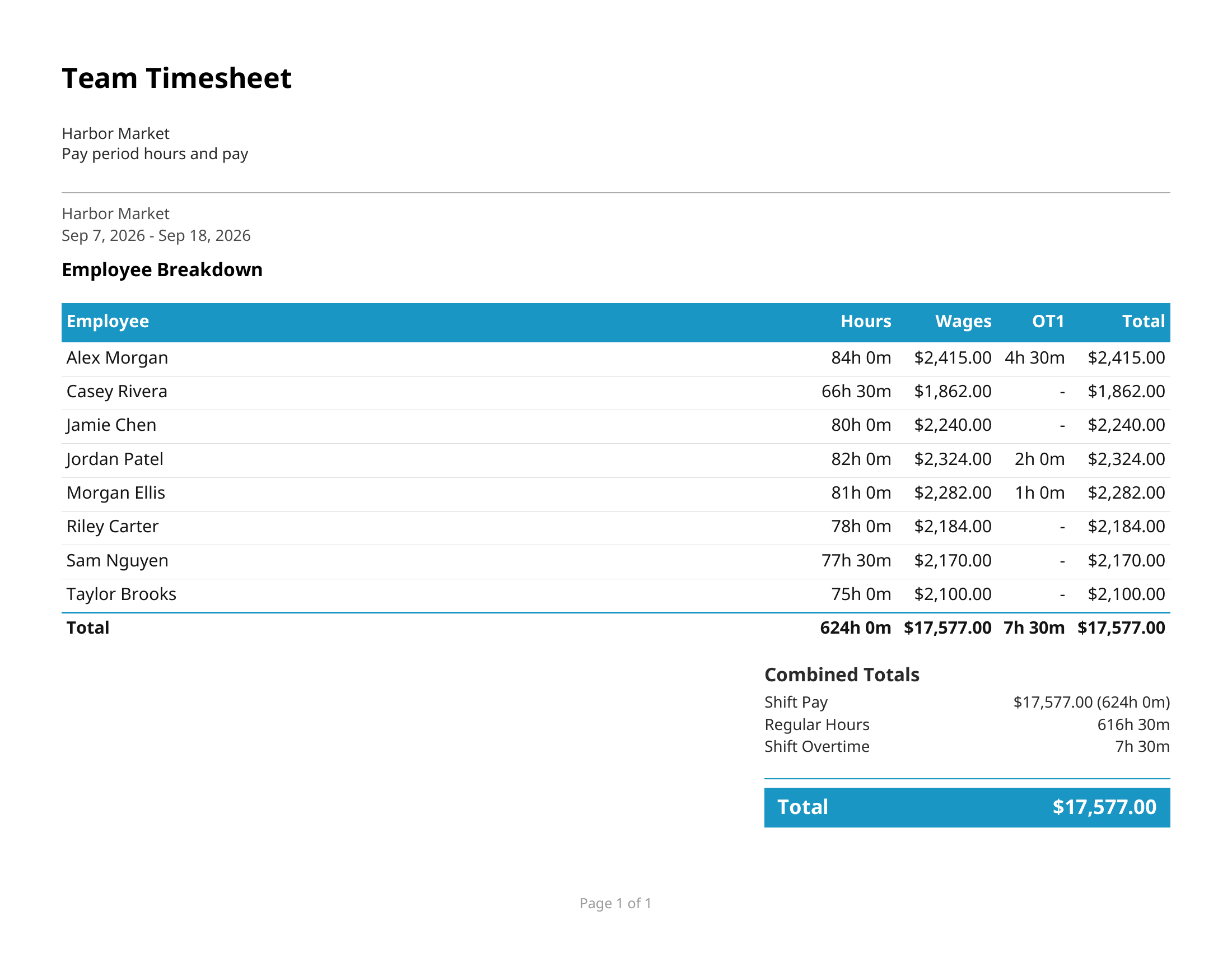
See your team’s records together. Filter by employee or date, and correct shifts with employee permission.
Export timesheets when you need them, or set up automatic reports for a recurring schedule.
Turn your team’s tracked hours into a report you can send to your accountant or keep with your business records.
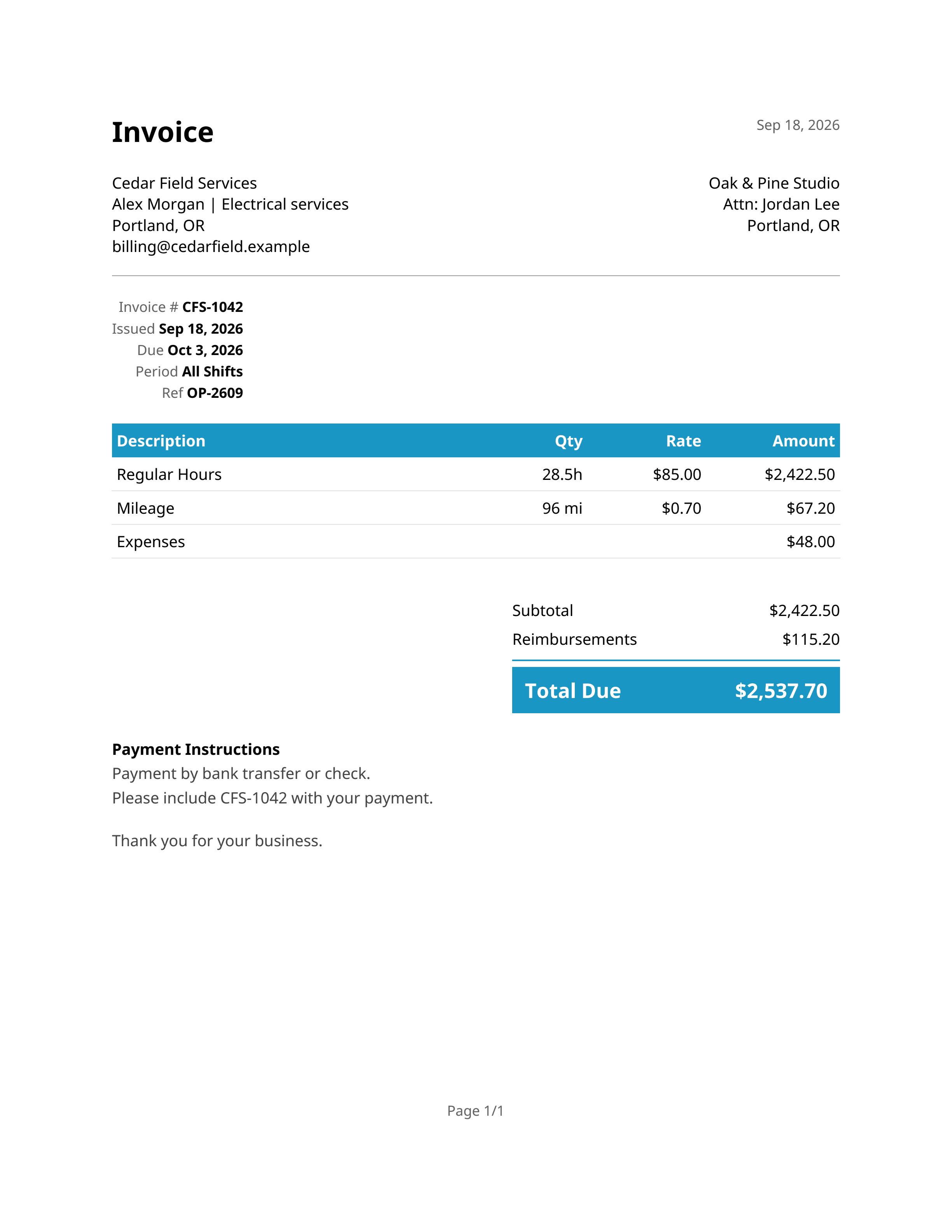
Turn recorded hours into itemized invoices, with business details, expenses, and payment instructions.
See a sample invoice ↗Set up recurring reports so your team’s hours reach your inbox without another export to remember.
Team plans and above add multiple report recipients and Shared Access for a bookkeeper or office manager. Crew plans and above support up to five saved report schedules.
Every employer plan includes the dashboard, automatic reporting, and premium app access for covered employees.
… / month
Up to 5 employees
A shared view of hours and automatic reports for a small team.
Choose Starter… / month
Up to 15 employees
Add dashboard viewers and send reports to multiple addresses.
Choose Team… / month
Up to 30 employees
Keep up to five saved reports with separate schedules.
Choose Crew… / month
Up to 60 employees
The same reporting tools, with room for a larger team.
Choose FleetCovered employees don’t need a separate premium subscription. Tax may apply.
No separate premium purchase is needed for employees covered by your active employer plan. They connect to your business through an invitation.
Yes, when the employee grants the relevant editing permission. Employees control the permissions they share with their employer.
No. Work Log – Shift Tracker is available for iPhone and Android. You access the dashboard from your browser.
Yes. Open the sample timesheet or sample invoice. No sign-in is required.
Start with Work Log – Shift Tracker. You can use the app independently. An employer plan isn’t required for personal time tracking.
Simple tracking for your employees. Useful records for your business.
View employer plans →